Views: 0 Author: Site Editor Publish Time: 2026-06-11 Origin: Site
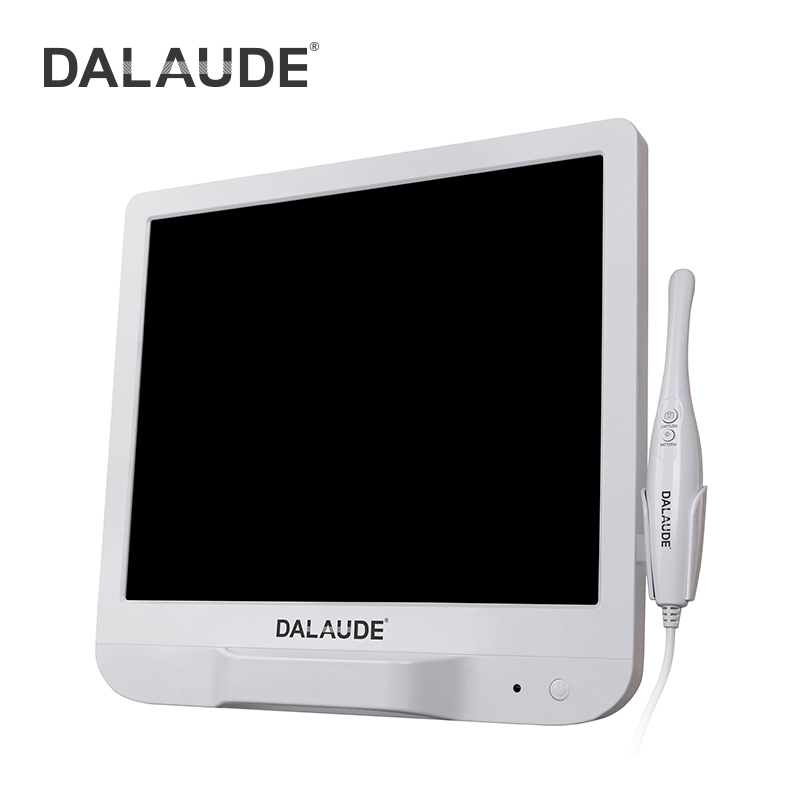
Dental technology has fundamentally shifted in recent years, pushing visual diagnostics to the forefront. High-definition (HD) imaging is no longer a luxury reserved for premium clinics. It now stands as the absolute baseline for accurate clinical documentation and effective patient co-diagnosis. Upgrading to HD equipment often forces practice owners to navigate deeply confusing specification sheets. You might face frustrating proprietary software hurdles, unexpected compatibility issues, and vastly different price points. Making the wrong choice inevitably leads to wasted capital and highly frustrated clinical teams. This guide provides practice owners and clinical directors with a reliable, evidence-based evaluation framework. You will learn how to select and implement an HD imaging system yielding measurable clinical and financial ROI. We will explore sensor quality, integration realities, and crucial hardware durability metrics to simplify your purchasing decision.
Case Acceptance is the Primary ROI: True HD image quality directly correlates with increased patient trust and higher case acceptance rates for elective and restorative procedures.
Resolution Isn't Everything: Megapixel counts are secondary to superior optics, LED illumination, and depth of field in the challenging oral environment.
Integration is the Hidden Cost: An intraoral camera is only as effective as its seamless integration (TWAIN vs. Native) with your existing Practice Management Software (PMS).
Ergonomics Drive Adoption: Heavy or complex devices will be abandoned by hygienists; lightweight, intuitive hardware is required for daily clinical use.
Patients rarely accept dental treatments they cannot fully understand. We must transition from merely telling patients about a cracked tooth to actually showing them. High-fidelity images facilitate genuine patient co-diagnosis. When patients see a highly magnified, illuminated fracture on a monitor, they validate your treatment recommendations instantly. Visual evidence bridges the significant clinical knowledge gap between provider and patient. Showing a crisp image of a failing amalgam margin immediately shifts the conversation from price to health urgency.
Clear, unpixelated images also serve a critical defensive role for your practice. Detailed visual documentation provides undeniable substantiation for dental insurance claims. Insurers frequently deny claims due to poor or ambiguous radiographic evidence. A crisp HD photograph clearly captures micro-fractures, margin wear, and subtle soft tissue anomalies. This visual proof drastically reduces administrative claim denials. It also enables accurate longitudinal tracking of suspicious lesions over multiple hygiene visits, protecting you against diagnostic liability.
Current clinical literature heavily supports using visual adjuncts in daily practice. Academic consensus confirms visual tools significantly improve both diagnostic accuracy and patient comprehension. Relying solely on tactile exploration with an explorer often misses early-stage decay. Modern Intraoral Cameras provide the necessary magnification to detect these minor defects before they escalate. Integrating these devices elevates the standard of care across your entire clinical team.
Manufacturers often boast about massive megapixel counts on their marketing brochures. You must look far beyond these artificially inflated numbers. A balanced CMOS or CCD sensor easily outperforms a cheap sensor possessing higher megapixels. True image quality relies entirely on how the sensor processes light, not just how many pixels it captures. Poor quality sensors generate heavy visual noise and graininess in dark clinical environments.
The oral cavity is notoriously dark and challenging to photograph. Proper illumination remains non-negotiable for diagnostic success. True-white LED configurations prevent severe color distortion on soft tissue and enamel surfaces. If LEDs skew too blue or yellow, diagnosing early erythema becomes nearly impossible. Accurate color representation builds immediate clinical trust during patient case presentations.
Next, you must evaluate focal range and depth of field. Liquid lens technology now allows seamless transitions between fixed and variable focus states. You need distortion-free imaging whether capturing a single molar macro shot or a full anterior arch. A restricted focal range forces staff to constantly adjust their hand position, slowing down the appointment.
Live patient use presents practical challenges like mouth breathing and humidity. Hardware features like internally heated tips actively prevent lens fogging. Anti-fog mechanisms eliminate constant workflow disruptions, saving precious chair time. When a lens fogs, the diagnostic value drops to zero.
Best Practice 1: Test the camera on an extracted tooth in a dark room to verify sensor quality.
Best Practice 2: Verify color accuracy against a standardized VITA shade guide.
Best Practice 3: Assess how quickly the autofocus mechanism adapts from macro molar shots to extraoral smile captures.
An imaging device holds zero value if it disrupts your daily software workflow. Plug-and-play native integration differs drastically from relying on third-party TWAIN bridges. Native drivers communicate directly and smoothly with your Practice Management Software (PMS). Conversely, TWAIN bridges often require extra clicks, open secondary windows, and significantly slow down image rendering speeds.
Always rigorously evaluate compatibility with your specific legacy systems. Whether your practice utilizes Dentrix, Eaglesoft, Dexis, or Open Dental, verify the integration path beforehand. You do not want an expensive Intraoral Camera requiring standalone viewing software. Forcing staff to export and import images between programs destroys clinical efficiency.
Hardware capture buttons present another frequent failure point. A physical capture button must communicate instantly with your imaging software. If this hardware-to-software link fails, staff must awkwardly reach for the computer keyboard or foot pedals. This breaks ergonomic posture, slows down the exam, and severely increases cross-contamination risks.
Data security remains a top priority for modern dental practices. Image capture, local storage, and transmission must strictly comply with HIPAA regulations. Ensure the device and its companion software encrypt data during network transfer. The system must seamlessly integrate into your standard dental data security protocols without creating network vulnerabilities.
Integration Type | Workflow Speed | Capture Button Reliability | System Stability |
|---|---|---|---|
Native Driver | Instant (1-click direct to chart) | Highly reliable and responsive | Excellent, direct PMS communication |
TWAIN Bridge | Slower (2-3 steps per image) | Often requires manual workarounds | Prone to crashing after Windows updates |
Even the highest-resolution diagnostic device faces the dreaded clinical "drawer" risk. If an intraoral camera feels overly complex or unreasonably heavy, hygienists will simply abandon it. It will sit unused in a sterilization drawer. High adoption rates rely entirely on frictionless usability and intuitive design. If the tool makes their job harder, they will not use it.
Let us outline the core hardware factors driving daily staff adoption:
Sterilization Resilience: The camera housing must withstand harsh, clinical-grade chemical wipes daily. Examine the availability and thickness of custom barrier sleeves. Good sleeves maintain infection control without blurring the delicate optical lens.
Cable Integrity: Assess your chosen connection type carefully. USB 2.0 or 3.0 cables provide stable, continuous power but limit operator movement. Wireless models offer excellent maneuverability but introduce battery degradation risks over time.
Ergonomic Design: You desperately need a lightweight, balanced pen-grip design. Heavy devices cause significant hand and wrist fatigue during extensive full-mouth series captures. A balanced weight distribution keeps the wrist neutral.
Common Mistake: Do not force your hygienists to adapt to bulky, cumbersome equipment. They need ergonomic tools complementing their existing hygiene workflow, not hindering it. Always prioritize their physical comfort during the selection process.
Evaluating clinical hardware requires a long-term perspective focused on consistent performance. A lower upfront price rarely signifies better value if the device breaks frequently. You must demand a robust manufacturer warranty to protect your investment. Advanced replacement programs are absolutely critical. If a camera fails on a Tuesday, you need a replacement shipped overnight to minimize chairside downtime.
Never finalize a capital purchase without completing an in-office testing phase. Implementing a brief demo trial period is essential for your team. The golden rule is simple: never buy a device unless your lead hygienist test-drives the actual capture workflow on a live patient. Their tactile feedback dictates daily clinical success.
Your final decision logic should carefully balance premium tier options against budget-friendly models. Base this decision primarily on your practice volume and your core clinical use case. A high-volume hygiene bay focused on rapid screening needs extreme durability and speed. Conversely, a boutique cosmetic practice focusing on premium case presentations might easily justify a more expensive, ultra-high-definition sensor. Always align the hardware capabilities directly with your overarching clinical objectives.
Selecting the right visual diagnostic tool transforms both case presentation and clinical efficiency. Keep these final action steps in mind as you upgrade your technology. First, prioritize a system your team instinctively enjoys using. Seamless ergonomics and intuitive native integration always trump raw marketing specifications. Second, focus heavily on illumination quality and true-white LEDs. A clear, color-accurate image builds instant patient trust during co-diagnosis. Third, insist on a thorough in-office trial. Let your hygienists evaluate the capture button responsiveness and software workflow firsthand. Take action today by requesting a live demo or downloading a standardized evaluation checklist. Contact a specialized dental IT consultant to verify software compatibility before making your final purchase.
A: Standard models typically output 480p or 720p resolution, often resulting in heavy pixelation when zoomed. An HD model outputs true 1080p or higher. It utilizes a larger, superior image sensor to maintain crisp diagnostic clarity even under heavy magnification, making micro-fractures and subtle decay clearly visible.
A: Modern wireless cameras have significantly minimized latency, but slight trade-offs remain. They offer superior cord-free ergonomics and completely eliminate cable drag. However, they rely on Wi-Fi or radio frequencies, which can occasionally experience signal dropouts in busy clinical environments. Battery degradation over time is also a factor.
A: You must verify if the device offers a native integration driver or relies on a TWAIN bridge. Native drivers ensure seamless, one-click operation. Check the camera manufacturer’s official compatibility list for your specific Practice Management Software (PMS) version, and consult your IT provider before purchasing.
A: Yes, standard infection control protocols usually mandate custom barrier sleeves, even with chemical wipe-downs. While clinical-grade wipes disinfect the outer housing, harsh chemicals can gradually degrade the camera lens and rubber seals. High-quality, tightly fitted sleeves protect the device perfectly without compromising image clarity.