
Views: 0 Author: Site Editor Publish Time: 2026-03-10 Origin: Site
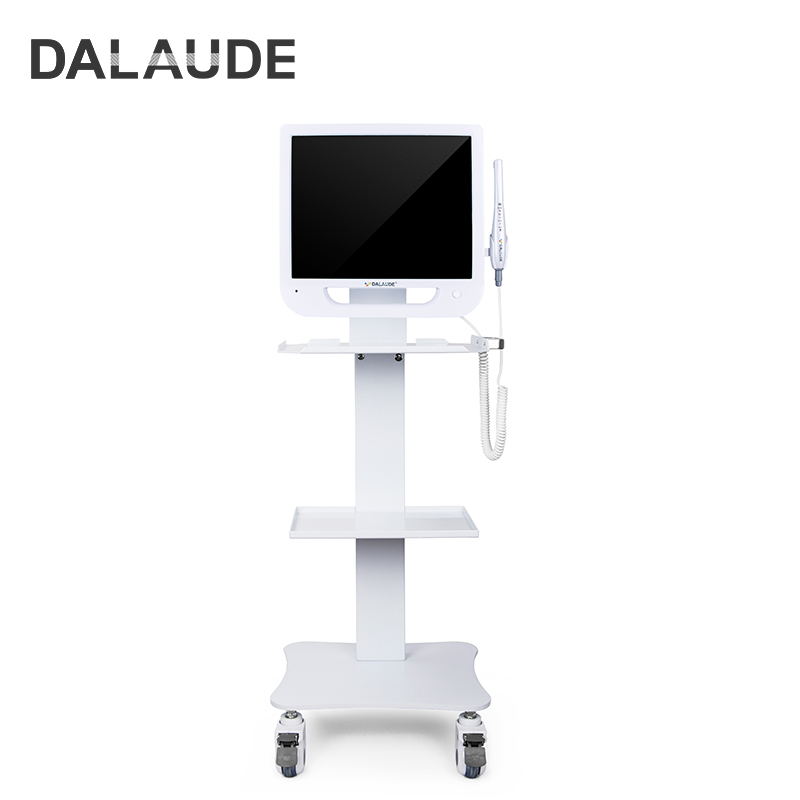
Digital imaging now shapes modern dentistry. Dentists rely on clear visual evidence during diagnosis and treatment planning. An Intraoral Camera allows clinicians to capture detailed images inside the mouth and review them instantly on a screen. These images improve patient understanding and support accurate clinical records. However, selecting the right device requires careful evaluation. In this article, you will learn how to choose an Intraoral Camera by comparing image quality, usability, connectivity, durability, and overall value for dental practices.
An Intraoral Camera allows patients to see their oral conditions directly on a screen. Instead of relying on verbal explanations, dentists can show plaque buildup, fractures, or gum inflammation in real time. Visual evidence often increases patient understanding and confidence in treatment recommendations. When patients see the condition clearly, they are more likely to accept restorative or preventive procedures. This improves communication and strengthens trust between the clinician and the patient.
High-resolution images captured by an Intraoral Camera help dentists examine tooth surfaces closely. Small cracks, worn restorations, or early caries can become easier to identify. These images can also be stored in digital patient records, allowing clinicians to track oral health changes over time. Comparing images before and after treatment gives dentists better insight into disease progression and treatment outcomes. Accurate visual documentation strengthens clinical decision-making and supports long-term patient monitoring.
Dental images captured by an Intraoral Camera are valuable for communication beyond the clinic. Dentists often attach these images to insurance claims to demonstrate the need for treatment. Clear visual documentation reduces misunderstandings and speeds claim approvals. Additionally, dentists can share intraoral images with specialists when referring complex cases. These images help specialists understand the patient’s condition quickly, enabling faster and more effective collaboration.
Image clarity begins with resolution. A high-definition Intraoral Camera typically captures images at 1080p resolution, producing sharp and detailed views of teeth and gums. Higher resolution helps dentists detect subtle signs of decay, enamel wear, or fractures. Sensor technology also plays a role in color accuracy and contrast. Cameras equipped with modern CMOS or CCD sensors often deliver clearer images with improved color balance, allowing dentists to identify oral conditions more precisely.
When selecting an Intraoral Camera, autofocus performance, zoom capability, and image clarity strongly influence diagnostic accuracy and clinical efficiency. Cameras differ in focusing mechanisms, magnification levels, depth of field, and capture speed. Understanding these specifications helps dental professionals compare models objectively and select equipment that delivers reliable imaging in daily examinations.
| Feature Category | Technical Principle | Typical Technical Specifications | Clinical Application | Practical Considerations |
|---|---|---|---|---|
| Autofocus System | Uses image sensors to detect contrast changes and automatically adjust lens focus | Autofocus range: approx. 5–30 mm; focusing speed: 0.2–0.5 s; often activated by a capture button | Capturing clear images of caries, cracks, and gum inflammation quickly | Maintain recommended distance from the tooth surface to avoid blur |
| Fixed Focus Lens | Lens maintains a constant focal distance without adjustment | Fixed focal range typically 10–15 mm; commonly paired with 480p–1080p resolution sensors | Quick imaging of individual teeth or localized oral structures | Less suitable for wide-area imaging such as full dental arch |
| Variable Focus Lens | Lens changes focal distance either manually or automatically | Typical focal range 5–50 mm depending on model | Enables imaging of single teeth, multiple teeth, or full arch views | Requires minor adjustment to achieve optimal focus |
| Digital Zoom | Image enlargement through software processing | Typical digital zoom range 2×–4× | Enlarging details of restorations, plaque, or enamel defects | Excessive digital zoom may reduce image sharpness |
| Optical Magnification | True magnification achieved through lens optics | Common magnification levels 10×–30× in intraoral imaging | Close inspection of enamel surfaces, fractures, and margins | Stable hand positioning improves image stability |
| Image Resolution | Determined by sensor pixel count | SD 480p, HD 1280×720, Full HD 1920×1080 | Diagnostic imaging, documentation, patient education | Full HD cameras generally provide clearer clinical details |
| Image Capture Speed | Time required to record and transfer an image | Typical capture delay <0.5 seconds | Rapid documentation during chairside examinations | Faster capture reduces motion blur |
| Depth of Field | Range within which objects remain in focus | Typical intraoral range 5–50 mm | Allows imaging of both close-up structures and broader oral areas | Larger depth of field simplifies positioning |
| Image Stability | Frame rate and stabilization technologies | Typical frame rate 25–30 fps for video imaging | Useful for video-based examinations or live patient education | Proper grip still improves stability |
Tip:Selecting an Intraoral Camera with 1080p resolution, fast autofocus, and optical magnification above 10× generally provides a strong balance between diagnostic precision and everyday clinical efficiency.
Lighting plays a crucial role in intraoral imaging. The oral cavity contains many shadowed areas, especially near molars and gum lines. A high-quality Intraoral Camera often includes multiple LED lights around the lens to illuminate these regions. Consistent lighting ensures images show accurate color and detail. Proper illumination allows dentists to capture clear photographs even in difficult angles, helping them evaluate oral conditions with greater confidence.
Dental professionals often hold instruments for long periods during examinations. A lightweight Intraoral Camera reduces strain on the hand and wrist. Cameras designed with balanced weight distribution help dentists maintain a steady grip during imaging. Comfortable instruments also improve precision when capturing close-up images. Over time, ergonomic design contributes to better working conditions and more consistent clinical performance.
The shape and size of the camera head affect how easily dentists can reach different parts of the mouth. A slim or slightly angled Intraoral Camera head allows easier access to posterior teeth, including second molars. This design also reduces patient discomfort during examinations. Improved access ensures dentists can capture clear images from difficult areas, supporting more complete oral evaluations.
Ease of operation is another key design factor. Many modern Intraoral Camera models feature a conveniently positioned capture button on the handpiece. This allows dentists to take images without adjusting their grip. Simple controls help clinicians capture photos quickly and continue the examination without interruption. Efficient controls reduce workflow delays and improve overall imaging efficiency.
Choosing between wired and wireless Intraoral Camera systems involves evaluating connectivity stability, mobility, power supply, and integration with dental imaging software. Each option offers different advantages depending on clinic layout, number of operatories, and workflow requirements. Understanding the technical differences helps practices select the most suitable imaging setup.
| Comparison Dimension | Wired Intraoral Camera | Wireless Intraoral Camera | Typical Technical Specifications | Clinical Application | Operational Considerations |
|---|---|---|---|---|---|
| Connection Method | USB cable connected directly to computer or monitor | Wi-Fi or RF signal transmission to receiver or workstation | USB standards: USB 2.0 (480 Mbps) or USB 3.0 (5 Gbps); wireless frequency typically 2.4 GHz or 5 GHz Wi-Fi | USB cameras are common in single-operatory or fixed workstation setups | Wireless signals may be affected by network interference |
| Data Transmission Stability | Very stable wired connection with minimal signal interruption | Depends on wireless network quality and signal strength | USB latency typically <5 ms; Wi-Fi latency typically 10–30 ms | Stable real-time imaging during diagnostic exams | Clinics should maintain strong Wi-Fi coverage |
| Power Supply | Powered through USB cable from computer | Powered by rechargeable lithium battery | USB power supply 5 V / 500–900 mA; battery capacity commonly 1500–2500 mAh | Continuous imaging without charging interruption | Wireless devices require routine charging |
| Mobility and Flexibility | Limited by cable length (usually 1.5–3 m) | High mobility within wireless signal range | Wireless operating range typically 10–30 meters indoors | Suitable for clinics with multiple operatories or mobile dental units | Signal quality should be tested in each treatment room |
| Setup and Installation | Plug-and-play connection, often requires minimal configuration | Requires pairing with receiver or network setup | Driver installation typically compatible with TWAIN imaging standard | Easy integration into existing dental imaging software | Wireless setup may require IT configuration |
| Image Transfer Speed | Direct high-speed transfer through cable | Dependent on wireless bandwidth and network traffic | USB 3.0 transfer up to 5 Gbps; Wi-Fi 5 theoretical speed up to 867 Mbps | Fast storage of high-resolution intraoral images | Network congestion may slow transfers |
| Maintenance and Hardware Durability | Cable wear may occur with frequent movement | Battery health affects long-term performance | Lithium batteries typically support 300–500 charge cycles | Suitable for long-term daily use | Battery replacement may be required over time |
| Infection Control Workflow | Cable must be managed carefully during cleaning | Handpiece only requires barrier protection | Compatible with disposable intraoral camera sleeves | Standard infection control procedures | Avoid contaminating cables or charging ports |
| Typical Use Scenario | Fixed dental chair imaging system | Multi-room or portable imaging workflows | Compatible with 1080p intraoral imaging systems | Flexible chairside imaging and patient education | Wireless cameras work well in large clinics |
Tip:For practices with multiple operatories or mobile equipment, a wireless Intraoral Camera can improve workflow flexibility, while USB wired cameras remain the most reliable option for stable, high-speed imaging in fixed workstations.
TWAIN compliance ensures that an Intraoral Camera can communicate with a wide range of imaging and practice management software without requiring proprietary drivers. This standard interface allows images to be captured directly into dental imaging platforms such as Dentrix, Eaglesoft, or similar systems. When TWAIN integration is available, captured photos are automatically labeled and stored within patient charts. This reduces manual file handling and improves data consistency. Efficient integration also supports faster clinical documentation and easier retrieval of patient records during future visits.
A dependable Intraoral Camera should operate smoothly within the clinic’s existing digital environment. Most professional cameras support Windows operating systems such as Windows 10 or 11, while some models also provide compatibility with macOS-based imaging platforms. Seamless integration allows clinicians to capture images and immediately display them on chairside monitors. When linked to practice management systems, images can be archived automatically within electronic patient records, enabling dentists to review past documentation quickly and maintain an efficient digital workflow.
Modern Intraoral Camera systems often integrate a one-button capture function directly on the handpiece. This design allows clinicians to record images without shifting hand position or touching external controls. Many cameras connect to imaging software through TWAIN protocols, enabling instant image transfer to patient records. Fast capture speeds, often under one second, help reduce motion blur caused by patient movement. This streamlined workflow allows dental teams to document findings efficiently while maintaining continuous patient interaction during examinations.
Advanced Intraoral Camera models support adjustable focal ranges that allow imaging at different distances within the oral cavity. Typical focus ranges extend from approximately 5 mm for macro views to 40–50 mm for wider dental arch images. This capability enables clinicians to capture both detailed tooth structures and broader intraoral perspectives in a single appointment. Multi-distance imaging supports diagnostic evaluation, treatment planning, and visual case documentation. Cameras with automatic focus adjustment also help maintain image sharpness across varying working distances.
Magnification features allow an Intraoral Camera to reveal fine dental structures that are difficult to observe with the naked eye. Optical magnification in many cameras ranges from 10× to 30×, enabling clear visualization of enamel cracks, restoration margins, plaque deposits, and early carious lesions. High-resolution imaging combined with magnification also improves chairside patient education. When patients can see detailed images of their oral condition on a monitor, they often gain a clearer understanding of treatment recommendations and preventive care needs.
The durability of an Intraoral Camera depends greatly on its housing materials and internal structural design. Many professional models use medical-grade ABS or polycarbonate shells, sometimes reinforced with aluminum alloy frames to improve impact resistance. These materials protect sensitive components such as CMOS sensors, LED modules, and circuit boards from daily handling stress. Cameras designed with sealed handpieces and reinforced cable joints also resist moisture and mechanical wear. Selecting equipment built with clinical-grade materials helps ensure consistent imaging performance during years of continuous dental use.
In dental environments, strict infection control protocols must be followed during every examination. Most Intraoral Camera systems are designed to work with single-use polyethylene barrier sleeves, which fully cover the camera tip and part of the handpiece. These sleeves create a physical barrier against saliva, blood, and aerosols. They are typically transparent to avoid affecting image quality. After each patient, the sleeve is discarded and replaced, while the camera surface is disinfected with approved medical wipes. This workflow supports effective cross-infection prevention in clinical practice.
Proper maintenance ensures stable image quality and extends the lifespan of an Intraoral Camera. After each use, clinicians typically clean the handpiece with non-corrosive disinfectant wipes containing 60–70% isopropyl alcohol or approved medical disinfectants. Optical lenses should be wiped gently using lint-free cloths to avoid scratches. Many cameras feature sealed optics and smooth surfaces to prevent debris accumulation. Periodic inspection of cables, connectors, and LED illumination also helps maintain reliable imaging performance during daily clinical operation.
When evaluating an Intraoral Camera, dentists should compare price with measurable imaging capabilities and workflow efficiency. Cameras with 1080p resolution, autofocus lenses, and integrated LED illumination often provide the most practical balance between cost and clinical value. It is also useful to assess total ownership cost, including software licensing, replacement accessories, and long-term maintenance. Equipment that integrates easily with existing imaging systems and reduces examination time can significantly improve productivity and patient communication.
Reliable warranty coverage protects the operational continuity of a dental practice. Many professional Intraoral Camera manufacturers provide 12–36 month warranties, covering defects in imaging sensors, LED modules, or electronic components. Strong technical support is equally important, especially for software integration and troubleshooting. Providers that offer remote diagnostics, replacement units, and fast repair services help clinics maintain uninterrupted workflows and ensure imaging systems remain dependable in daily clinical use.
Clinical testing allows dentists to evaluate an Intraoral Camera beyond manufacturer specifications. During a demo session, practitioners can assess autofocus speed, image clarity on chairside monitors, and ergonomics during real examinations. Testing in an actual operatory also confirms compatibility with imaging software and computer hardware. This hands-on evaluation helps identify whether the camera supports efficient workflow, comfortable handling, and consistent diagnostic imaging during routine patient care.
Selecting the right Intraoral Camera requires careful evaluation of image quality, ergonomic design, software compatibility, and long-term reliability. A well-designed system improves diagnostic accuracy, simplifies documentation, and strengthens communication with patients. Dental professionals should compare features, test equipment, and consider workflow integration before purchasing. Products developed by Foshan Dade Medical Technology Co., Ltd. offer reliable imaging performance, practical clinical design, and stable integration capabilities, helping dental practices improve efficiency and deliver clearer patient communication.
A: An Intraoral Camera is a dental imaging device that captures close-up photos of teeth and gums for diagnosis and patient education.
A: Choose an Intraoral Camera with 1080p resolution, ergonomic design, software compatibility, and reliable LED lighting.
A: An Intraoral Camera helps detect dental issues early and improves patient understanding through visual evidence.
A: Key features include HD imaging, autofocus, LED illumination, ergonomic handling, and software integration.
A: An Intraoral Camera typically ranges from a few hundred to several thousand dollars depending on features and imaging quality.


