Views: 0 Author: Site Editor Publish Time: 2026-06-09 Origin: Site
Teledentistry has shifted from a temporary workaround to a core pillar of modern dental practice growth. However, its true clinical viability relies heavily on the quality of remote diagnostic data. Practices simply cannot scale remote care without reliable, high-definition visual evidence.
Relying on patient-submitted smartphone photos or low-grade imaging leads to diagnostic uncertainty, liability risks, and reduced case acceptance. When doctors cannot see clear margins or soft tissue health, they cannot diagnose confidently. This visual gap frustrates both providers and patients, often requiring redundant in-office visits.
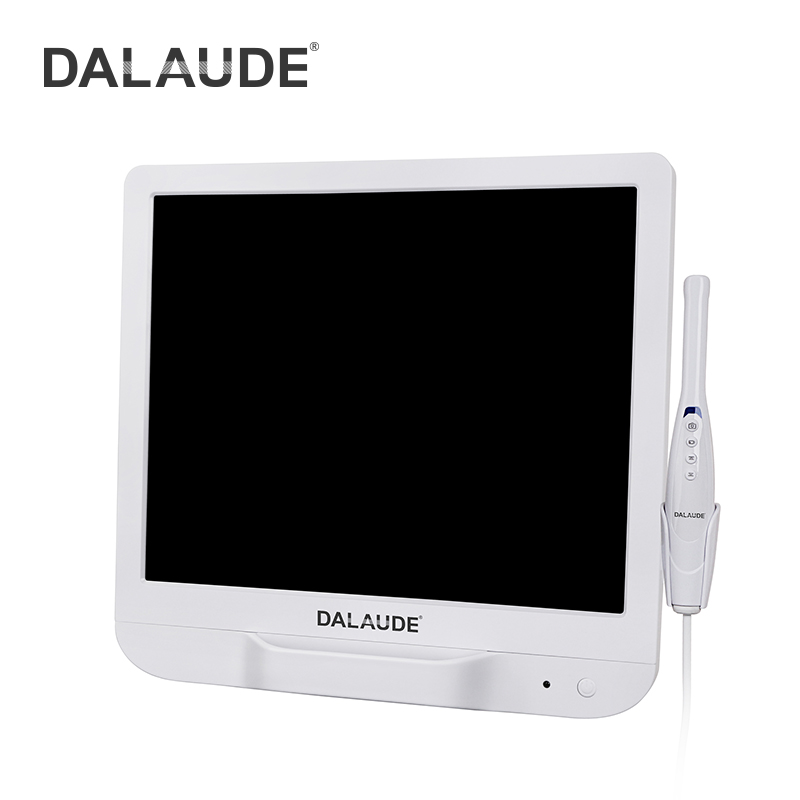
An integrated Intraoral Camera bridges this gap between remote consultations and in-office clinical standards. This guide provides a framework for evaluating, selecting, and implementing the right hardware for your teledentistry workflow. You will learn how to optimize remote care, improve diagnostic accuracy, and seamlessly integrate new imaging devices into your daily practice.
Teledentistry requires intraoral cameras optimized for both live streaming (synchronous) and secure image capture (store-and-forward).
Evaluating an intraoral camera requires looking beyond megapixel counts to assess sensor quality, focal depth, and native software integration.
Successful implementation relies on seamless Practice Management Software (PMS) compatibility and rigorous staff training to minimize workflow friction.
The difference between a routine teledentistry consult and a highly diagnostic virtual exam depends entirely on your imaging hardware. Remote consultations often prioritize convenience over clinical depth. We see practices trying to diagnose caries or periodontal disease using blurry patient selfies. This compromises care. High-grade imaging hardware elevates remote visits. It allows doctors to assess micro-fractures, view precise tissue margins, and identify early-stage lesions just as they would in the clinic.
Modern remote care relies on two distinct operational models. Your hardware must support both seamlessly to maximize practice efficiency.
Synchronous (Live Video): A hygienist operates in the field (e.g., a school or nursing home) while the doctor watches a live video feed remotely. The camera must stream continuously without lag or severe artifacting.
Asynchronous (Store-and-Forward): A staff member captures high-resolution photos and uploads them to a secure portal. The doctor reviews these images later. The camera must capture crisp, uncompressed stills for accurate delayed diagnosis.
Substandard imaging carries real business and clinical costs. Undiagnosed pathologies leave patients vulnerable to worsening conditions. Redundant in-office visits occur when doctors cannot make a definitive diagnosis remotely, effectively doubling chair time for a single issue. Furthermore, compromised patient trust happens when remote data is insufficient. Patients want immediate answers. When you tell them the photo is too blurry to diagnose, they lose confidence in your virtual care program.
Practice owners often focus on megapixel counts, but true optical clarity matters more. Digitally upscaled megapixels simply stretch a poor image, creating pixelation upon zooming. You should look for true optical resolution driven by high-quality internal sensors. Evaluating Intraoral Cameras requires testing how well the lens captures actual physical detail before software processing kicks in.
Feature | Optical Resolution | Digital Resolution |
|---|---|---|
Definition | Physical hardware capability of the lens and sensor. | Software-driven artificial enhancement of image size. |
Zoom Quality | Maintains sharp margins and crisp clinical details. | Becomes blurry, noisy, and pixelated when magnified. |
Diagnostic Value | High. Ideal for identifying micro-fractures and decay. | Low. Often obscures vital clinical indicators. |
A camera used in a poorly lit school gymnasium acts differently than one under a bright operatory light. You must evaluate built-in LED configurations. Look for adjustable ring lights that prevent glare on wet enamel. Auto-focus capabilities are equally necessary. Remote staff need devices that seamlessly shift from macro shots (a single molar) to micro shots (a full arch) without manual dial adjustments. Fixed-focus lenses often fail in unpredictable remote environments.
Off-site care models require durable, lightweight equipment. Evaluate weight and grip styles carefully. Wand designs feel familiar to traditional dental instruments, while pen grasps offer precise maneuverability for difficult posterior angles. Mobile hygienists carry these units daily. Therefore, rugged casing and reinforced cable connections prevent downtime. Consider how the device feels during a long shift to reduce operator fatigue.
Hardware is only as useful as the software running it. Many manufacturers lock you into their proprietary imaging ecosystems. This creates massive workflow friction. You must prioritize TWAIN compliance and universal drivers. These standards ensure your imaging hardware integrates seamlessly with your existing cloud-based Practice Management Systems (PMS). Universal compatibility means you can switch your PMS in the future without replacing all your physical hardware.
Efficiency relies on immediate data transfer. Assess how the device pushes images to secure patient portals. The best systems route visual data directly to the cloud. They bypass localized manual file transfers. You do not want remote staff saving sensitive images to a laptop desktop, then manually dragging them into patient charts later. Direct-to-cloud workflows save time and drastically reduce human error.
Remote locations often suffer from poor Wi-Fi or weak cellular signals. Live streaming demands high data transfer rates. You must evaluate how the hardware and paired software handle image compression. Advanced systems compress the video feed for live streaming without sacrificing critical detail. They adapt to fluctuating bandwidth dynamically. This prevents the video from freezing or buffering when a doctor is trying to guide a remote hygienist in real time.
Security breaches carry heavy fines and destroy practice reputations. You must ensure the hardware-software bridge operates securely. It cannot store unsecured PHI (Protected Health Information) locally on remote devices. If a remote laptop is stolen, no patient images should reside on its hard drive. End-to-end encryption during image transmission is a non-negotiable requirement for modern teledentistry programs.
Clinical standards dictate the viability of remote diagnostics. We recommend referencing ASTDD (Association of State and Territorial Dental Directors) best practices for teledentistry data collection. Their frameworks emphasize diagnostic integrity. Hardware must capture images clear enough to rival an in-person visual exam. Adhering to these national benchmarks ensures your remote program delivers equitable, high-quality care rather than a subpar alternative.
Documenting remote exams thoroughly protects your practice. You need time-stamped, unaltered images securely attached to the patient file. These audit trails mitigate malpractice risks. They prove what the doctor saw at the exact moment of diagnosis. Furthermore, robust visual documentation satisfies strict insurance billing requirements. Payers increasingly demand high-resolution proof before authorizing remote consultation codes or subsequent restorative treatments.
Patients rarely accept treatments they do not understand. High-definition imagery serves as a powerful educational tool. You can use visual evidence to educate patients remotely, lowering dental anxiety. Showing a patient a massive crack in their molar demystifies the treatment plan immediately. Remote trust-building happens quickly when patients see exactly what the doctor sees. Transparency drives confident patient decisions.
You must track how effectively remote consults turn into actionable revenue. Monitor specific conversion metrics closely to gauge hardware success.
Remote-to-Office Conversion: Track the percentage of virtual consultations that convert into booked in-office restorative procedures.
Preventative Booking Rates: Measure how often remote hygiene checks result in scheduling standard cleanings or fluoride treatments.
Case Acceptance Speed: Monitor how quickly patients agree to treatment plans when presented with high-definition visual evidence compared to standard verbal explanations.
High-quality remote imaging significantly reduces in-office chair time. You can complete preliminary diagnostics and comprehensive patient education before the physical appointment even begins. When the patient arrives, they are already informed, and the doctor already knows the required procedure. This turns a traditional hour-long consultation and prep appointment into a focused, highly efficient restorative session.
Introducing new hardware always disrupts established routines. You must acknowledge the "tech-friction" reality. Staff will naturally slow down as they learn new interfaces and handling techniques. Plan for a temporary dip in efficiency during the first two weeks of rollout. Manage expectations early. Reassure your team that the initial learning curve yields long-term workflow ease. Frustration drops sharply once muscle memory takes over.
Consistency demands structured guidelines. Establish clear, written protocols for your remote operators. Without SOPs, you will receive chaotic, unusable images.
Device Preparation: Boot the laptop, connect to the secure cloud portal, and verify the TWAIN connection before seating the patient.
Patient Positioning: Adjust the patient's head angle to maximize ambient light, ensuring the remote environment supports the camera's LED output.
Grasp and Stabilization: Utilize a modified pen grasp. Use a finger rest on adjacent teeth to stabilize the lens and prevent motion blur.
Image Sequencing: Follow a strict capture order (e.g., upper right quadrant to upper left, moving anterior to posterior) so doctors review uniform case files.
Field equipment breaks. You must budget for hardware redundancy to prevent program halts. Stock backup USB cables, as they wear out quickly from constant packing. Keep a surplus of fitted protective sheaths to maintain rigorous sanitization protocols for mobile units. Ensure staff clean the lens window carefully with approved optical wipes to prevent scratching, which ruins diagnostic clarity over time.
Strategic Decision: Selecting an intraoral camera for teledentistry is a strategic IT and clinical decision, not just a simple hardware purchase. It dictates your diagnostic capabilities.
Prioritize Core Features: Always prioritize native software interoperability and true optical integrity over superficial features or digitally inflated specifications.
Actionable Next Step: Encourage your clinical director to audit your current PMS compatibility immediately. Request a live clinical demo and test the device rigorously in a simulated remote environment before buying.
A: Not necessarily. While many cameras take decent photos, teledentistry requires seamless integration with remote streaming software and cloud-based PMS to be efficient. Standard cameras often lack direct-to-cloud security, struggle with live-streaming compression, and require tedious manual file transfers, making them inefficient and potentially non-compliant for remote workflows.
A: Focus on 720p to 1080p native HD video capability and true macro-focusing rather than raw megapixel counts. High megapixel numbers can be misleading if they rely on digital upscaling. True optical clarity ensures you can see fine margins and micro-fractures without pixelation during remote diagnostics.
A: Yes. Operating a camera independently in a remote setting, like a school or nursing home, presents unique challenges. Operators need specialized training for different grasps, stabilization techniques, and ambient lighting adjustments, as they lack the controlled environment and specialized lighting of a traditional in-office dental chair.
A: It works through encrypted, HIPAA-compliant cloud connections or direct TWAIN integrations. These software protocols bypass the local computer's hard drive entirely. They route the live visual data and captured images directly into the patient's secure cloud chart, ensuring no protected health information is vulnerable on local devices.